What Euler does for you
Euler watches every layer of your metal powder-bed builds and flags defects.
Euler watches every layer of your metal powder-bed builds and flags defects as they appear. During a build, it alerts you to critical defects so you can act before the build is lost. Afterwards, you can review every layer, see where defects occurred, and share a report with your customer or QA.
euler3d.com/app/euler-demo/print/collision
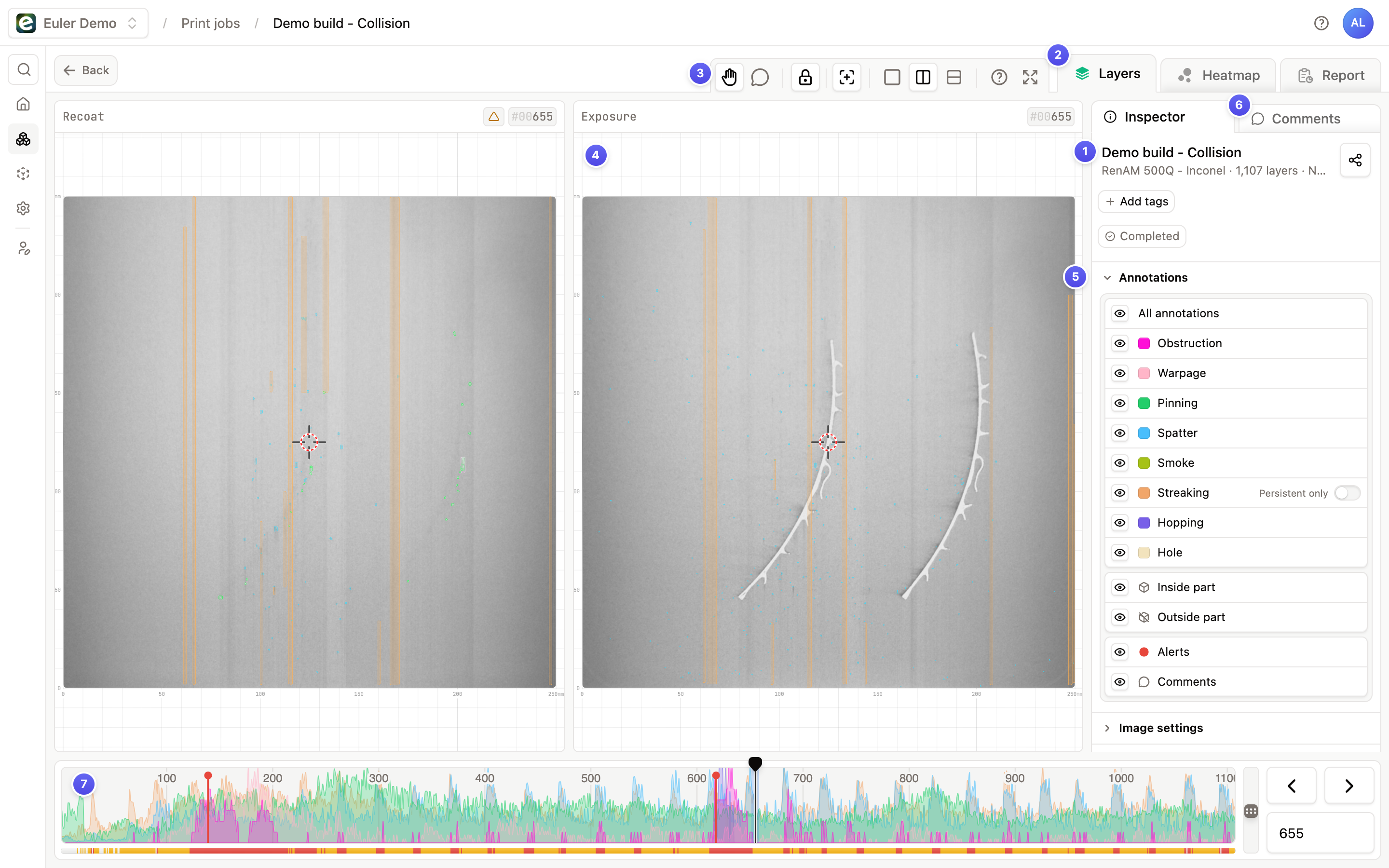
- Print header: the print's name and status, with its tags and the share button.
- Tabs: switch between Layers, the Heatmap and, once the print has finished, the Report.
- Toolbar: image tools such as the hand tool for panning and zooming, side-by-side recoat and exposure images, and the comment tool.
- Layer image: the current layer, with each defect marked by a colored box.
- Annotations: choose which defect types are shown on the image with the annotation toggle and the part toggle.
- Comments: the sidebar tab with the print's timeline of comments and alerts.
- Layer bar: the layer status bar and frequency plot show the state of every layer. Click or drag to move between layers.
Find your way around
Get startedFrom a new account to your first analyzed print.Live monitoringAlerts, notifications and device status while builds run.Print viewerReview layers, defects, heatmaps and reports.Euler ConnectSend layer images from your printers to Euler automatically.OrganizationSettings, members and roles, and plans.GuidesStep-by-step help for common situations.
The API
Use the Euler API to read your print data from your own software, create temporary links to print jobs, or embed print jobs in your own pages.