Layer status bar
Track build health at a glance without scrolling through every layer.
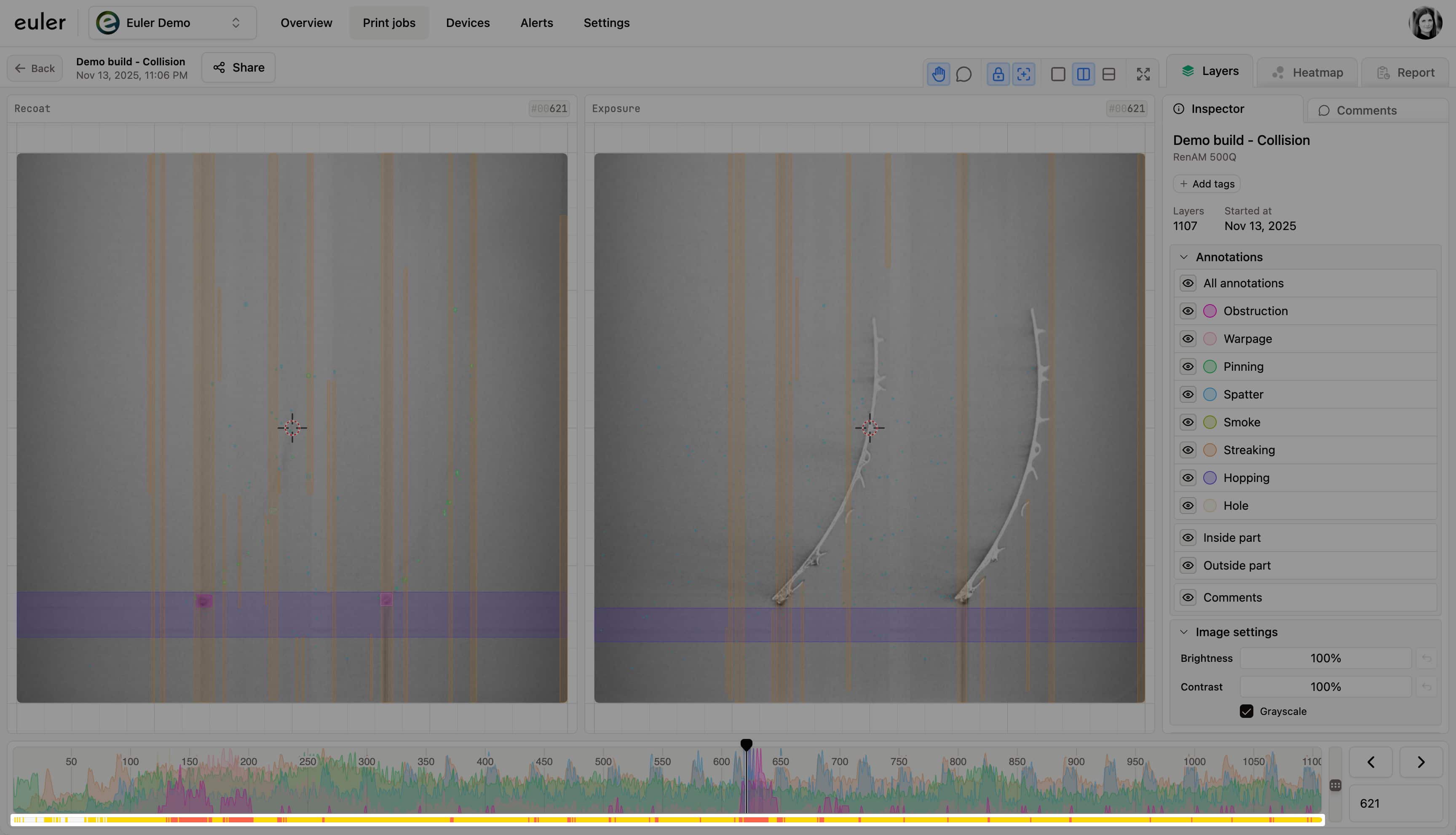
The layer status bar is the colored strip under the frequency plot. It shows the status of every layer in the print, so you can see where the build went wrong without stepping through each layer.

Layer statuses
Each layer gets one of four statuses:
| Status | Color | What it means |
|---|---|---|
| OK | Green | Nothing significant found. No action needed. |
| Minor defect | Yellow | Small defects that may be early signs of a problem. Worth watching in the next layers. |
| Critical defect | Red | Significant defects. Review the layer and decide whether to act. Critical layers in a running print raise an alert. |
| Laser in image | Teal | The laser was visible in the recoat image, which makes the image hard to judge. It does not by itself mean a defect. |
The same statuses make up the layer profile ring in the print jobs table and the report.
Jumping between critical sections
A critical section is a run of consecutive layers marked Critical defect. Laser in image layers are not included. Rather than stepping through every layer to find the next one, you can jump straight to it:
- Press Shift + → to jump to the first layer of the next critical section, or Shift + ← to jump to the first layer of the previous one.
- Or hold Shift and click the layer arrow buttons next to the layer number. While Shift is held, the arrows turn into red double arrows to show that they jump between critical sections instead of stepping one layer.
If you are inside a critical section, the jump skips over it and takes you to the next section in that direction. The arrow is disabled when there is no critical section further in that direction.