Print viewer
Defect annotation toggle
Use the annotation toggle to isolate specific defects in images and frequency plots.
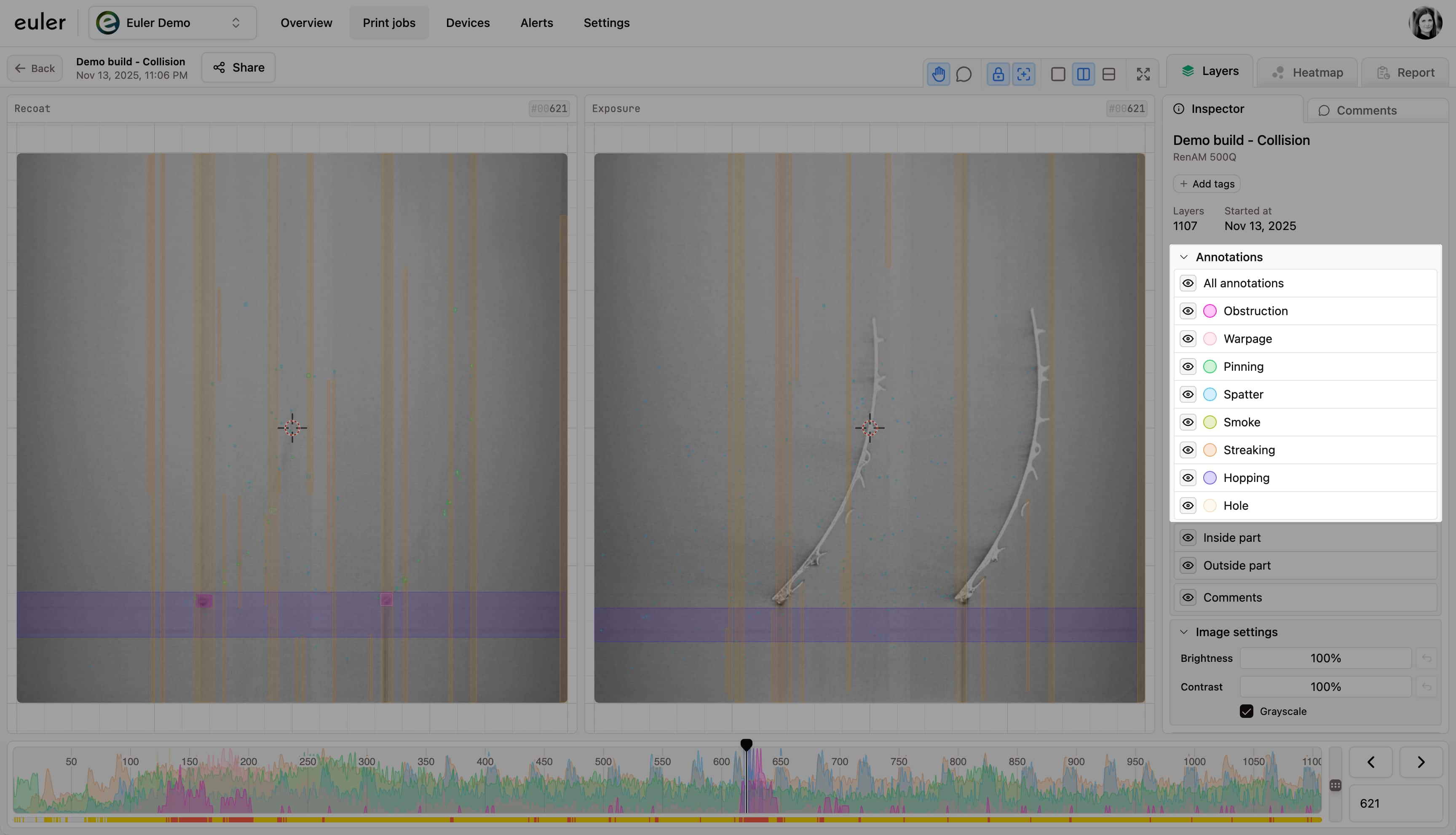
The print viewer shows every defect Euler found in a print. With many defect types on screen at once, the images get busy. Hide the types you don't need so you can focus on the ones that matter.
Showing and hiding defect types
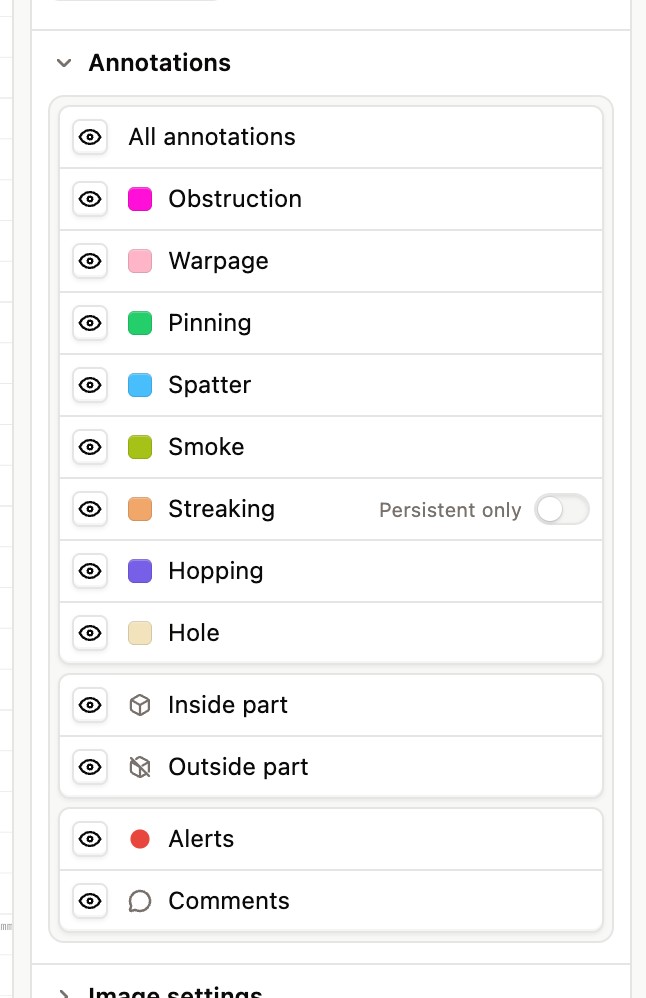
The Annotations list in the sidebar has an eye icon beside each defect type. Click it to show or hide that type on the layer images.
- All annotations at the top shows or hides every defect type at once.
- Hold Alt (Option on Mac) and click a defect type's eye to show only that type. Alt-click it again to do the opposite: hide that type and show all the others.
- Hover over a defect type to highlight it and see an example image.
Below the defect types you can also show or hide Inside part and Outside part defects (see Inside/outside part toggle), Alerts, Laser alerts and Comments.
What hiding a type changes
When you hide a defect type:
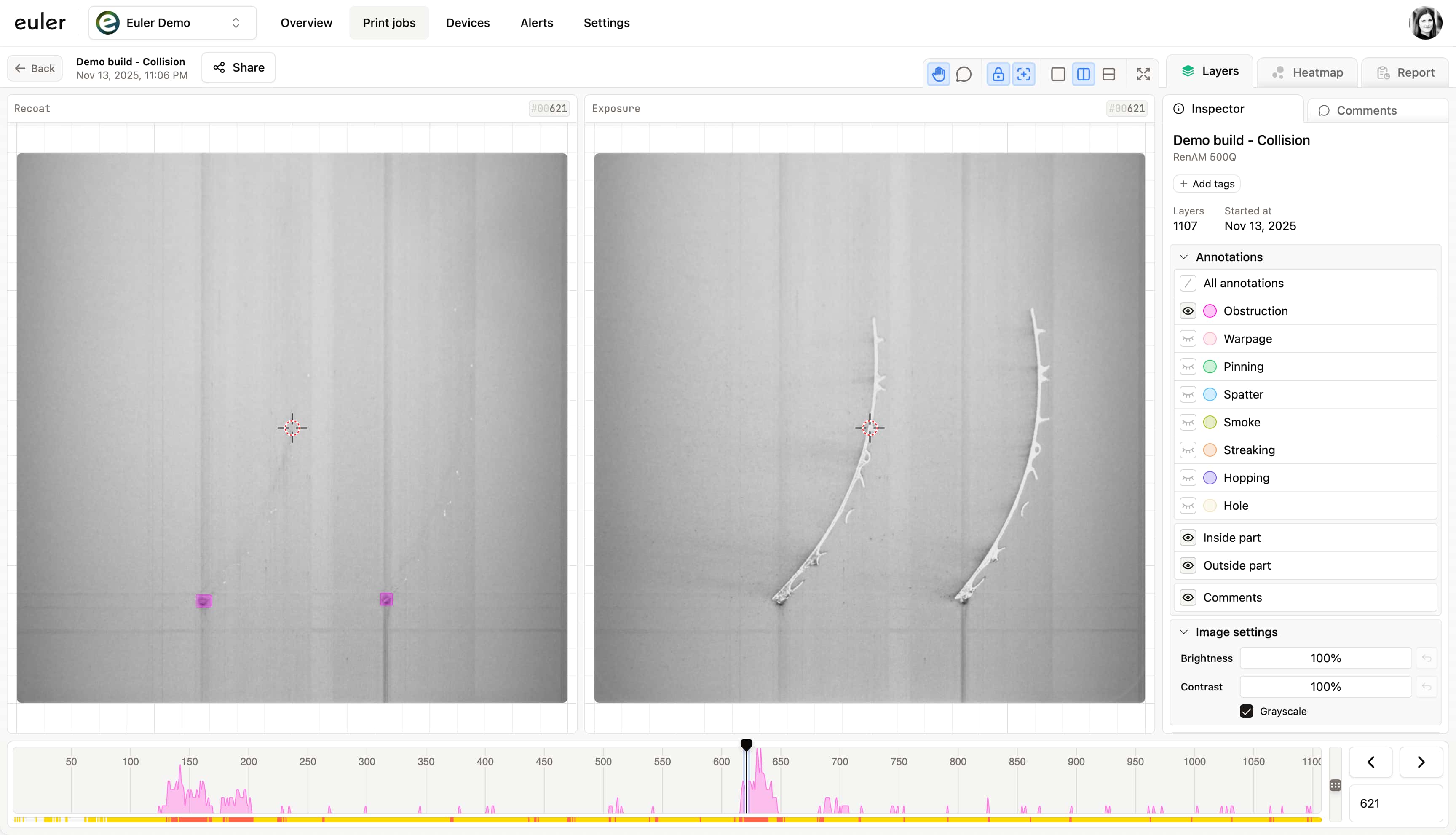
- Its annotations disappear from the layer images.
- Its curve disappears from the frequency plot.
- The remaining defects are easier to inspect and compare.
This lets you look at one kind of problem at a time and work through a build faster.
Below is an example where only Obstruction is shown on the recoat image.
euler3d.com/app/euler-demo/print/collision