Organization settings
Change your organization's name, username, timezone and avatar.
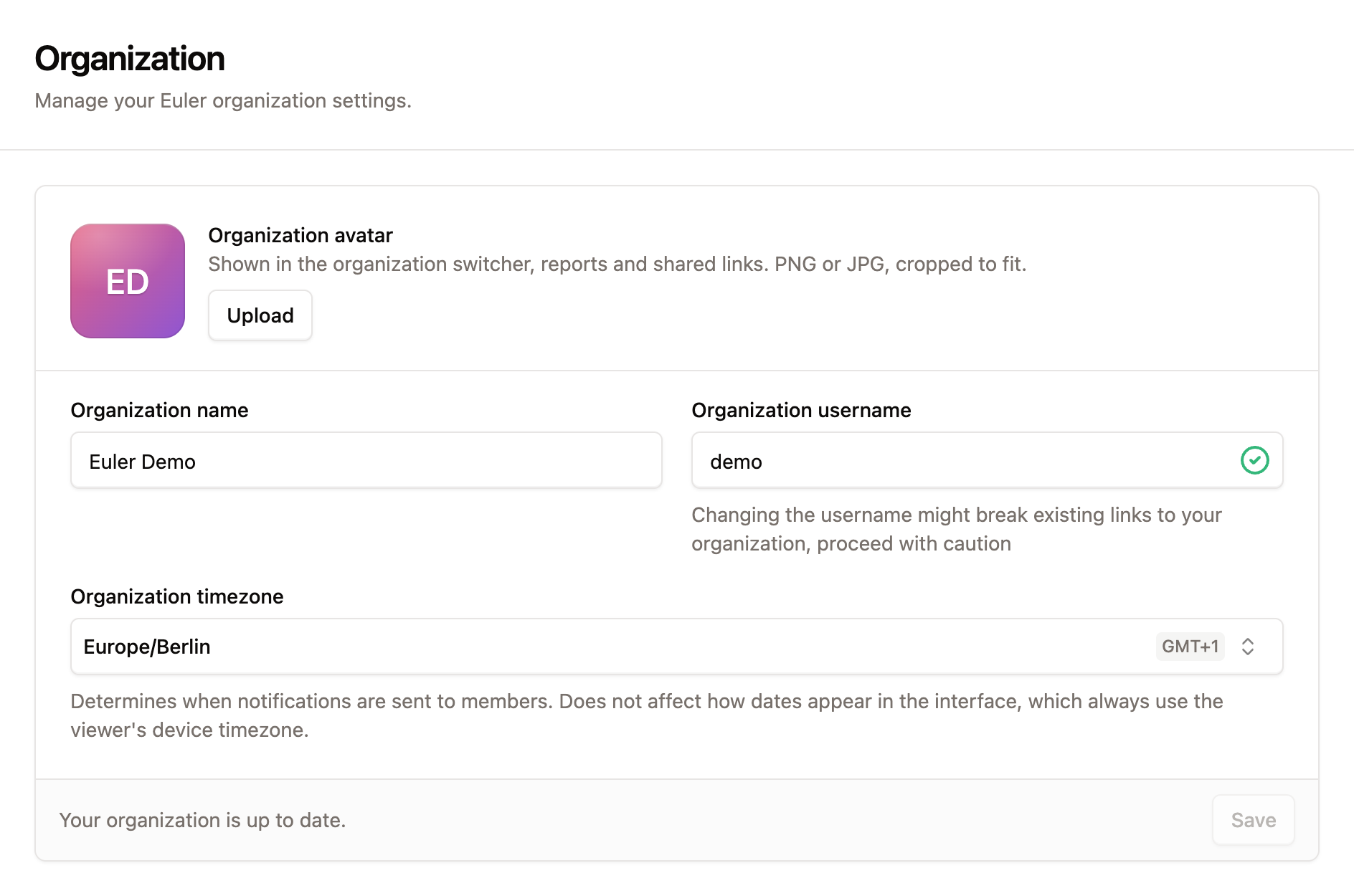
SettingsOrganization holds the basic details of your organization: its name, the username in its web address, its timezone and its avatar.
Organization name
The name shown in the organization switcher, on the Overview page and in reports.
Organization username
The short name in your organization's web address, for example acme in euler3d.com/app/acme. It
can contain letters, numbers, dashes and underscores. A tick next to the field shows whether a new
name is available.
Changing the username changes the web address of every page in your organization. Links and bookmarks that use the old username, for example links to prints in emails or chat messages, may stop working. Let your team know before you change it.
Organization timezone
Decides when time-based notifications are sent to members, such as the offline devices digest. It does not change how dates appear in Euler. Those always use the time zone of the computer you are viewing them on.
Avatar
An image for your organization, shown in the organization switcher, reports and shared links. It sits at the top of the card. Click Upload, or Change to replace it, and choose an image such as your company logo. Click Remove to go back to the initials.
When you have made changes, click Save at the bottom of the card. When there is nothing to save, the card says Your organization is up to date.