Members and roles
Manage who has access to your organization and what they can do.
SettingsMembers lists everyone in your organization and the invites that haven't been accepted yet. Admins use it to invite people, change roles and remove members.
Everyone can see the member list. Only organization admins can invite, change roles or remove members.
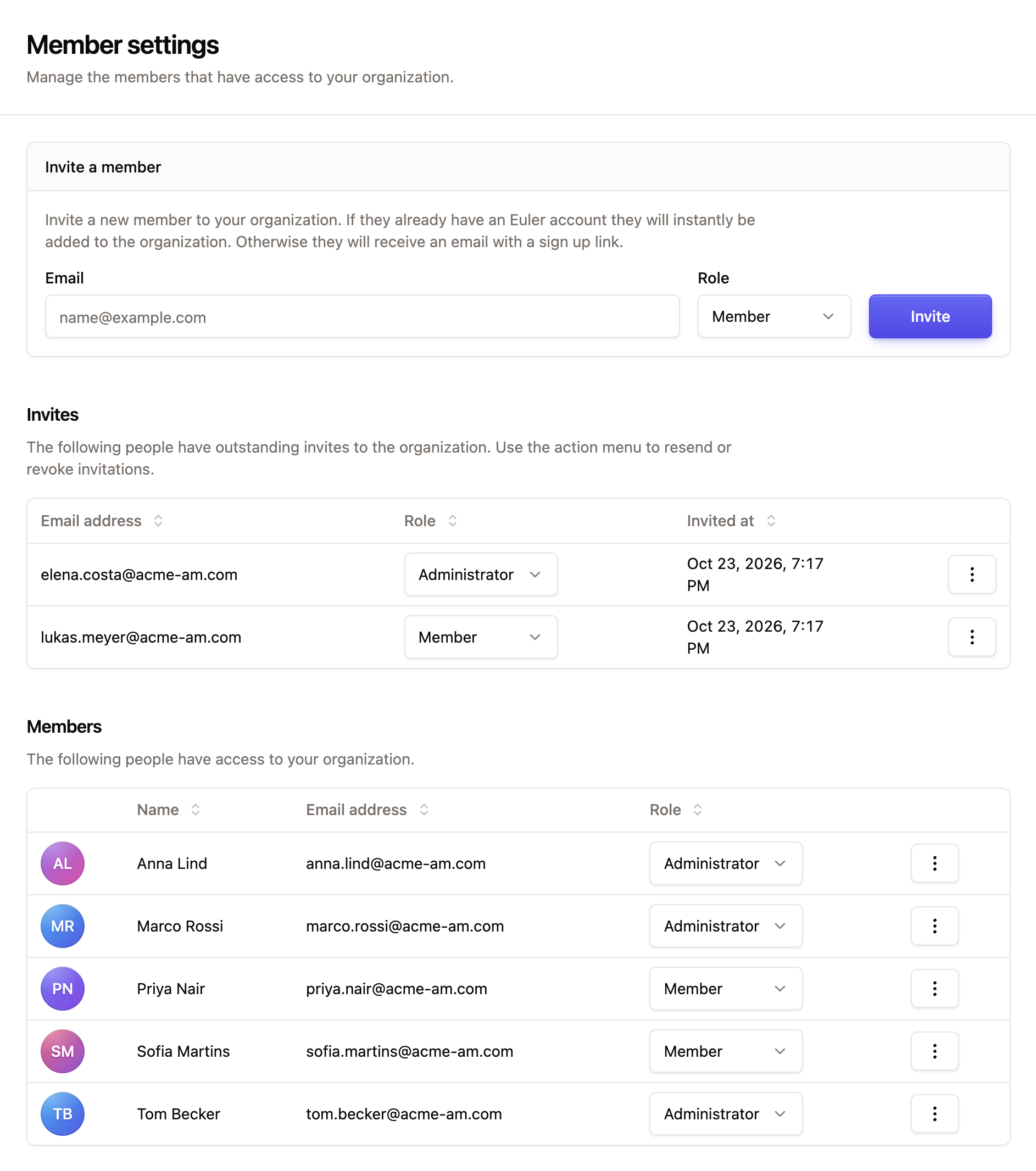
Invite a member
Under Invite a member, enter an Email, choose a Role and click Invite. See Invite users.
Resend or revoke an invite
Pending invites are listed under Invites with the email address, role and when they were sent. Open the action menu on a row and choose:
- Resend invite email to send the invitation again.
- Revoke invite to cancel it.
Change a member's role
In the Members list, pick a new role in the Role column. The change applies straight away.
If you demote yourself, Euler asks you to confirm. To become an admin again, another admin has to promote you.
Remove a member
Open the action menu on the member's row and choose Remove from organization, then confirm. The person loses access to the organization and everything in it. Their account still exists, and they keep access to any other organizations they belong to.
An organization always needs at least one admin. Euler won't let you demote or remove the last admin.
What each role can do
| Task | Member | Admin |
|---|---|---|
| View prints, devices, alerts and the member list | ✓ | ✓ |
| Upload prints | ✓ | ✓ |
| Share prints | ✓ | ✓ |
| Add tags to prints and manage tags in SettingsTags | ✓ | ✓ |
| Comment on prints, and edit or delete your own comments | ✓ | ✓ |
| Delete other people's comments | ✓ | |
| Respond to alerts | ✓ | ✓ |
| Compare prints (paid plans) | ✓ | ✓ |
| Choose your own notifications | ✓ | ✓ |
| Change notifications for other members and the offline devices digest | ✓ | |
| Add, edit and disable devices, and set up Euler Connect connections | ✓ | |
| Request support for a new device type | ✓ | |
| Change organization settings and report defaults | ✓ | |
| Invite and remove members, change roles | ✓ | |
| Create and revoke dashboard links (paid plans) | ✓ | |
| Manage Integrations & API: Slack, API tokens and signed URLs (paid plans) | ✓ |
Some features have to be turned on for your organization before anyone can use them, such as dashboards and Slack. Contact Euler to turn them on.