Getting started
Invite users
Add your teammates to your organization and choose their roles.
Once your organization exists, invite your teammates so they can follow prints, comment and respond to alerts.
Only organization admins can invite members.
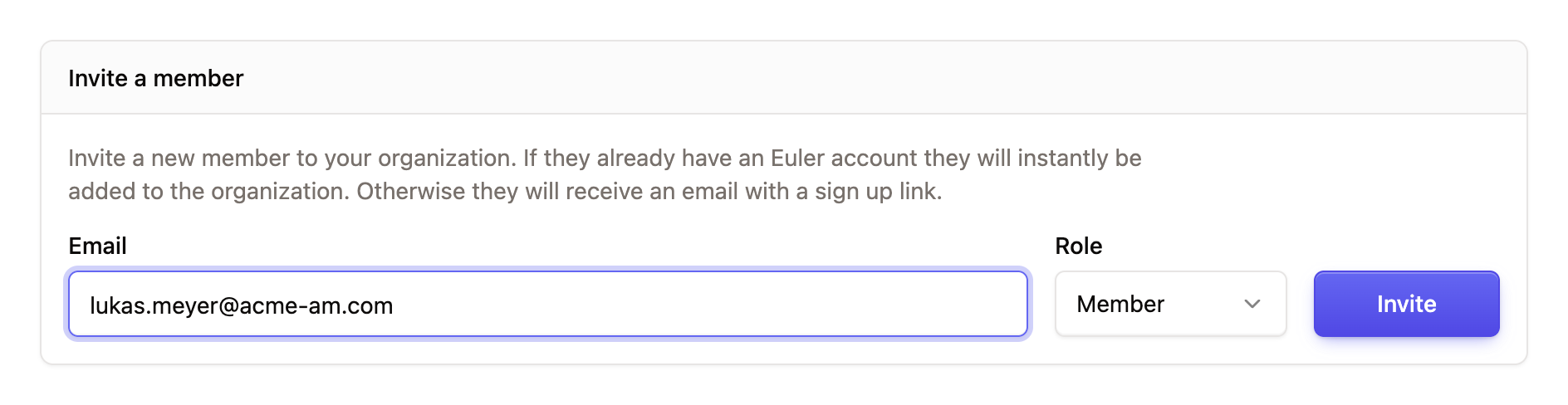
- Open SettingsMembers.
- Under Invite a member, enter your teammate's Email and choose a Role: Admin or Member.
- Click Invite.
If the person already has a Euler account, they are added to the organization straight away. If not, they get an email invitation with a link to sign up and join.
Roles
Each member is either a Member or an Admin. Admins can also manage members, devices and organization settings. See Members and roles for exactly what each role can do.
Pending invites
Invites that haven't been accepted yet appear under Invites. Use the action menu on a row to Resend invite email or Revoke invite.
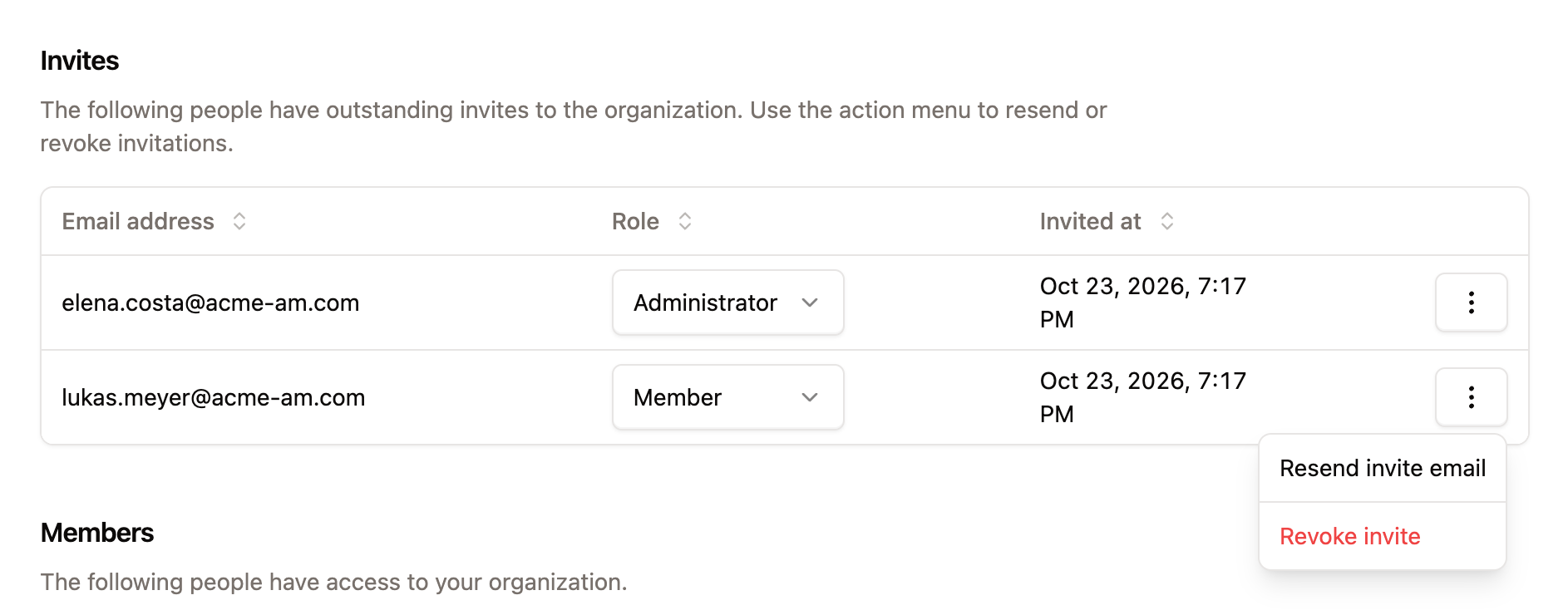
Everyone who has joined appears in the Members list, where admins can change their role.