Notifications
Choose which events notify you, and how admins set notifications for the organization.
Euler can notify you when a print has a critical defect, when a print is complete and when a device goes offline. Notifications arrive by email. Your organization can also send them to Slack channels.
Open SettingsNotifications to choose what you receive. The choices apply to the current organization, so set them in each organization you belong to. Admins manage the organization's notifications further down the same page.
Your notification preferences
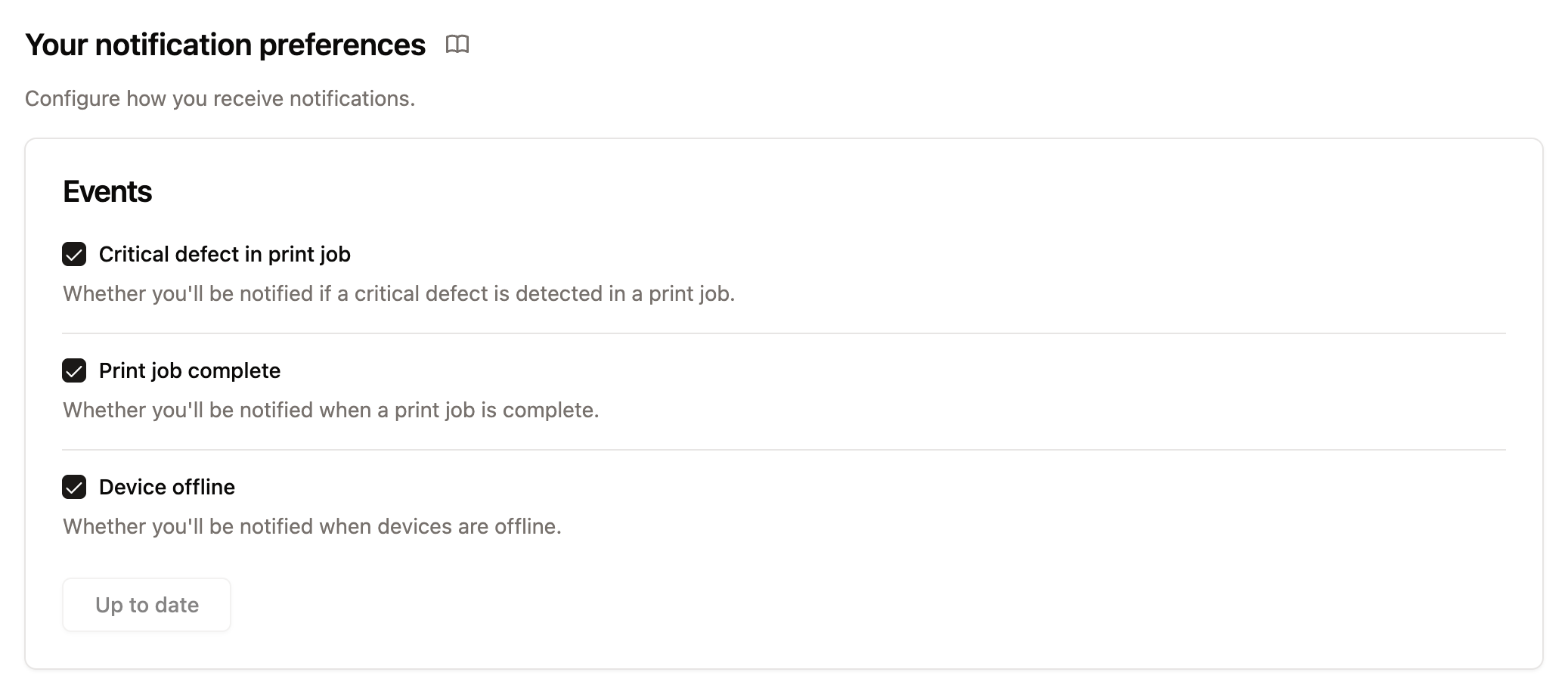
Under Your notifications, in the Notify me about card, turn each kind of notification on or off and click Save:
- Critical defect in print job: an email when Euler raises a critical alert on a print. You are also notified when a snoozed alert comes back.
- Print job complete: an email with a short report when a print finishes, including the device, the number of layers, how long it took, the number of critical alerts and its tags.
- Device offline: an email when one of your organization's devices stops sending data. The email says why the device is offline when Euler knows, shows a chart of the device's connection over the last week and suggests what to check.
If some devices don't send critical alert notifications, they are listed below the switch. See Devices that don't send alerts.
Organization notifications
Admins see an Organization notifications section below their own preferences. It has a table of every member's notifications and the Offline reminders card.
Member notification preferences
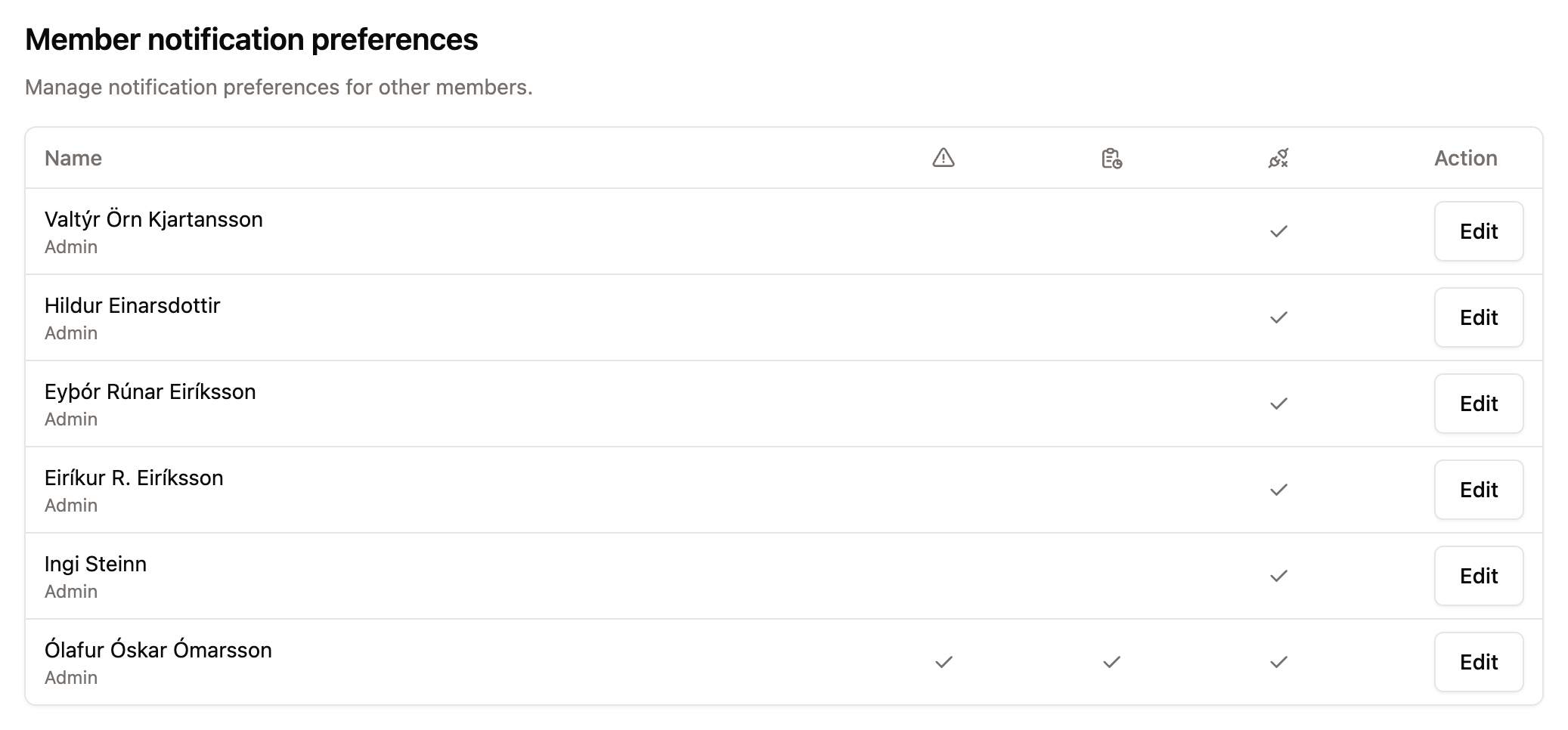
The table shows which notifications each member receives. Click Edit on a row to change that member's choices, then click Save. This doesn't lock anything: members can still change their own preferences at any time.
Offline reminders
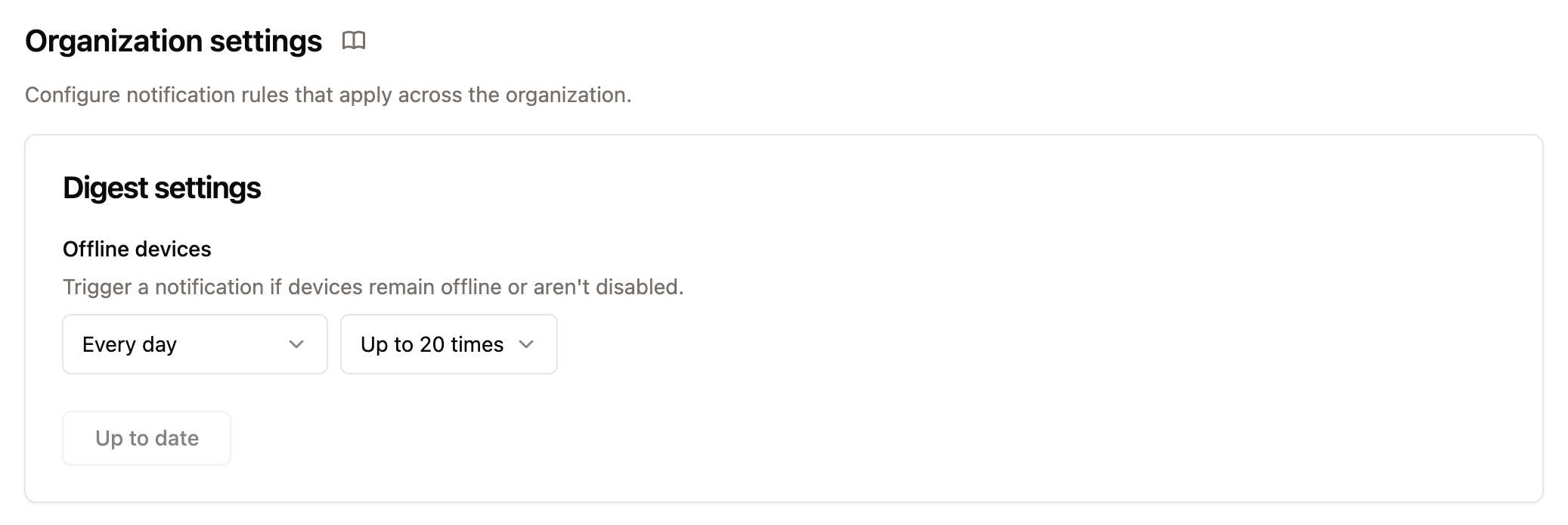
Offline devices decides how often members who have Device offline turned on are reminded about devices that stay offline. When several devices are offline, the reminder is one email that lists them all.
- Choose how often: Never, every hour, every 3 hours, every 6 hours (at 3:00, 9:00, 15:00 and 21:00), every 12 hours (at 9:00 and 21:00), every day at 9:00 or every 3 days at 9:00.
- Choose how many times: up to 5, 10 or 20 times, or Until resolved.
The times follow the organization timezone. Disabled devices are not included.
Devices that don't send alerts
An admin can stop a device from sending critical alert notifications, for example while a machine is used for test builds. Open the device in SettingsDevices & Datasources and check Disable critical alert notifications. Euler still raises and shows alerts on the device's prints, but no one is notified.
See Device settings.
Slack
Admins can send the same notifications to Slack channels, chosen per channel. See Slack notifications.